
What do you want to automate
with HTTP / Webhook and BugHerd?
Prompt, edit and deploy AI agents that connect to HTTP / Webhook, BugHerd and 3,000+ other apps in seconds.
Trusted by 1,000,000+ developers from startups to Fortune 500 companies
















Popular Ways to Connect HTTP / Webhook with BugHerd#
Popular HTTP / Webhook and BugHerd Triggers#
Get a URL and emit the full HTTP event on every request (including headers and query parameters). You can also configure the HTTP response code, body, and more.
Get a URL and emit the HTTP body as an event on every request
Emit new event when a new comment is created on a task. See the documentation
Emit new event when a new task is created. See the documentation
Emit new event when a task is updated. See the documentation
Popular HTTP / Webhook and BugHerd Actions#
Adds a new attachment to the specified task using an existing URL. See the documentation
Create a new project. The project will initially have no members. See the documentation
Send an HTTP request using any method and URL. Optionally configure query string parameters, headers, and basic auth.
Send an HTTP GET request to any URL. Optionally configure query string parameters, headers and basic auth.
Send an HTTP POST request to any URL. Optionally configure query string parameters, headers and basic auth.
Overview of HTTP / Webhook#
Build, test, and send HTTP requests without code using your Pipedream workflows. The HTTP / Webhook action is a tool to build HTTP requests with a Postman-like graphical interface.

Point and click HTTP requests
Define the target URL, HTTP verb, headers, query parameters, and payload body without writing custom code.

Focus on integrating, not authenticating
This action can also use your connected accounts with third-party APIs. Selecting an integrated app will automatically update the request’s headers to authenticate with the app properly, and even inject your token dynamically.
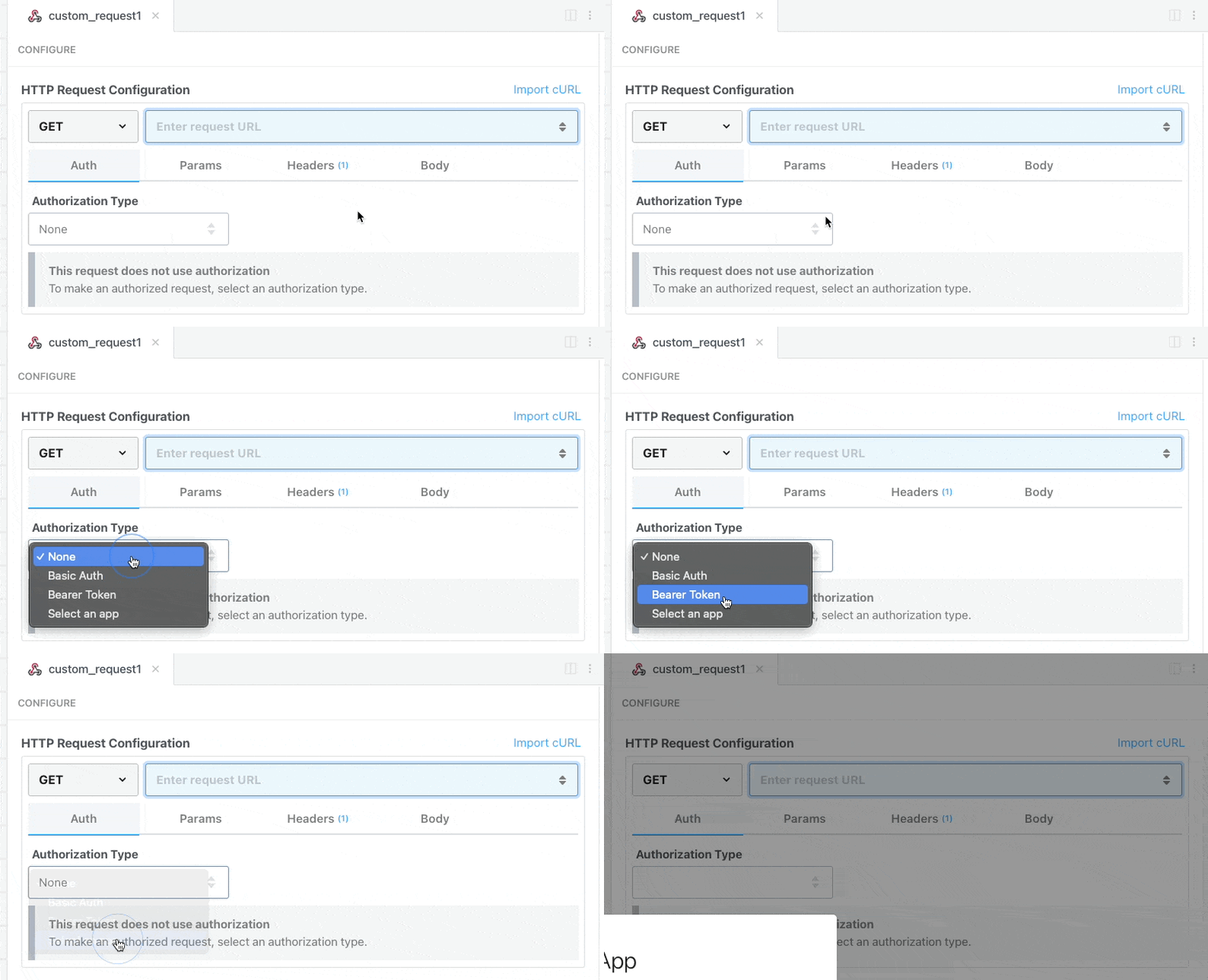
Pipedream integrates with thousands of APIs, but if you can’t find a Pipedream integration simply use Environment Variables in your request headers to authenticate with.
Compatible with no code actions or Node.js and Python
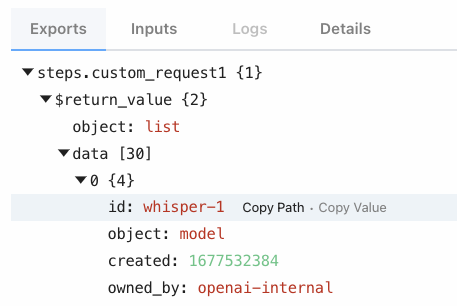
The HTTP/Webhook action exports HTTP response data for use in subsequent workflow steps, enabling easy data transformation, further API calls, database storage, and more.
Response data is available for both coded (Node.js, Python) and no-code steps within your workflow.
Connect HTTP / Webhook#
// To use any npm package on Pipedream, just import it
import axios from "axios"

export default defineComponent({
  async run({ steps, $ }) {
    const { data } = await axios({
      method: "GET",
      url: "https://pokeapi.co/api/v2/pokemon/charizard",
    })
    return data.species
  },
})
Overview of BugHerd#
The BugHerd API provides a streamlined interface for managing and tracking bugs and issues directly within your web projects. By leveraging this API on Pipedream, you can automate the bug tracking process, sync data with project management tools, and create custom notifications based on event triggers. Automations can range from simple task creation to complex workflows involving multiple systems, cutting down the manual effort required to keep your development projects bug-free.
Connect BugHerd#
import { axios } from "@pipedream/platform"
export default defineComponent({
  props: {
    bugherd: {
      type: "app",
      app: "bugherd",
    }
  },
  async run({steps, $}) {
    return await axios($, {
      url: `https://www.bugherd.com/api_v2/organization.json`,
      auth: {
        username: `${this.bugherd.$auth.api_key}`,
        password: `x`,
      },
    })
  },
})
Community Posts#

Trusted by 1,000,000+ developers from startups to Fortune 500 companies