> ## Documentation Index
> Fetch the complete documentation index at: https://pipedream.com/docs/llms.txt
> Use this file to discover all available pages before exploring further.
# Parallel
## Overview
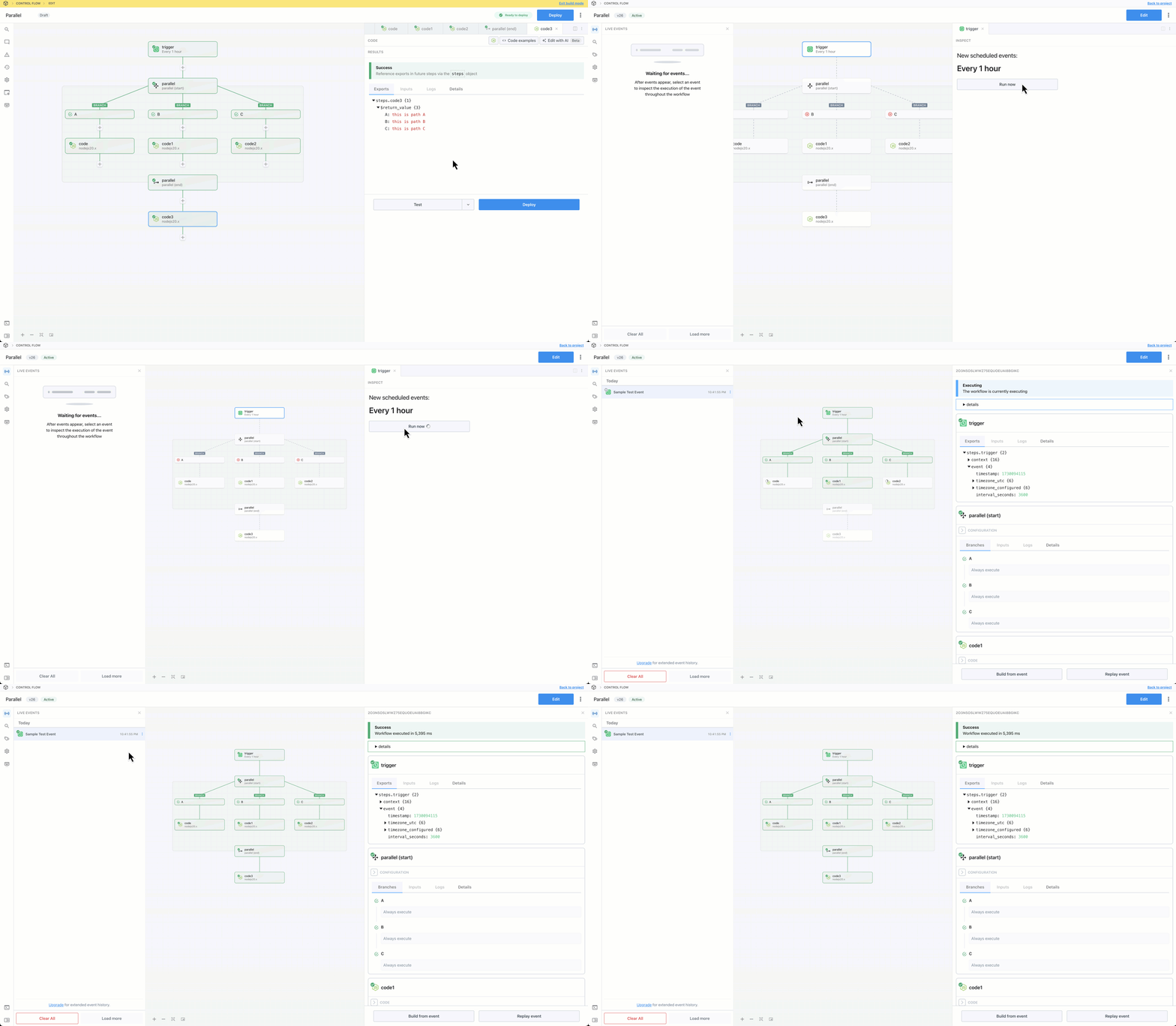
**Parallel** is multi-path branching operator. It allows you to create multiple execution branches with optional filtering rules and Pipedream will execute **all** matching branches. Unlike [Switch](/workflows/building-workflows/control-flow/switch/) and [If/Else](/workflows/building-workflows/control-flow/ifelse/), the order in which rules are defined will not affect the path of execution.
 ## Capabilities
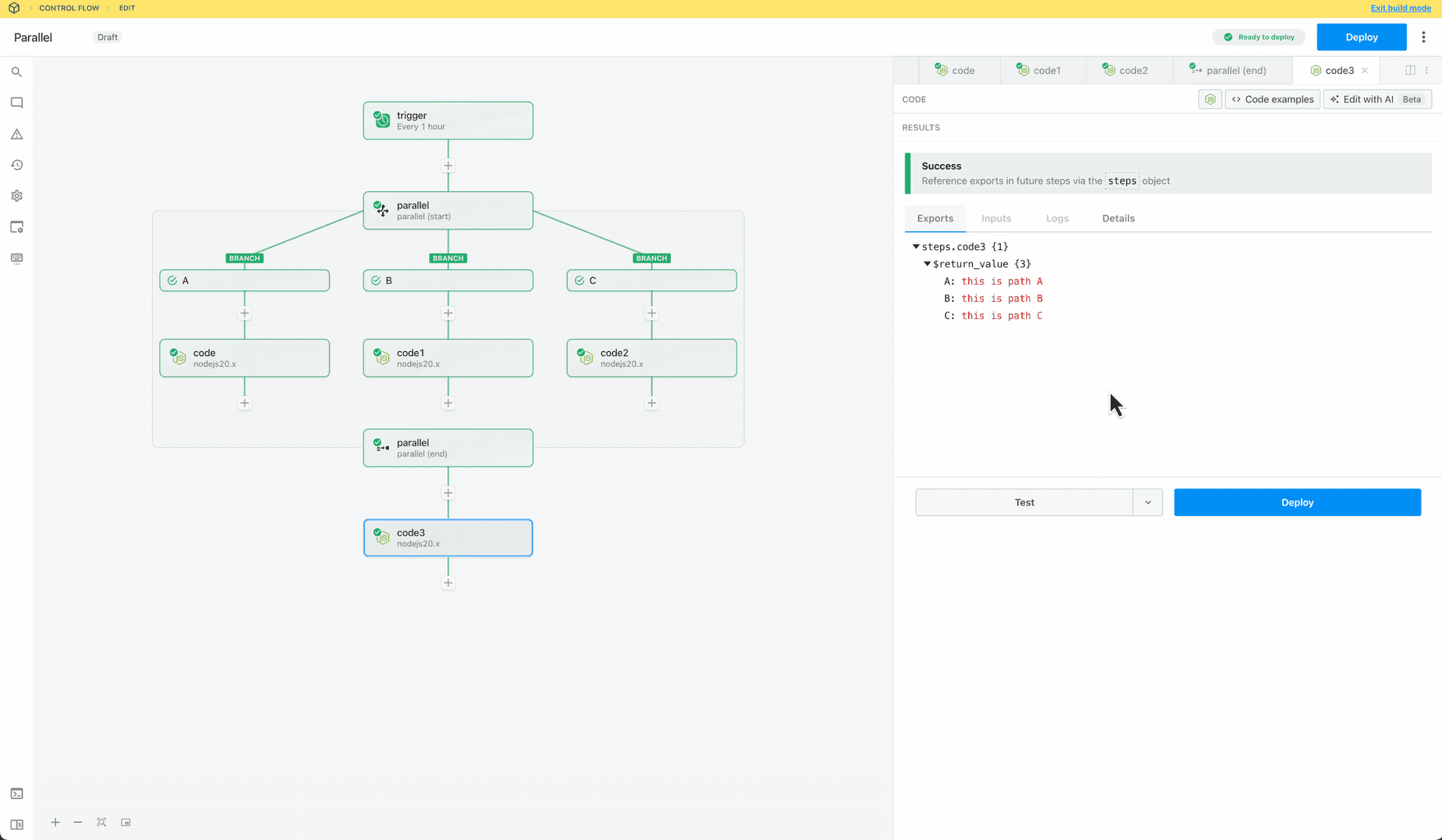
* Create non-linear workflows that execute steps in parallel branches
* Define when branches run — always, conditionally or never (to disable a branch)
* Merge and continue execution in the parent flow after the branching operation
The Parallel operator is a control flow **Block** with **start** and **end** phases. [Learn more about Blocks](/workflows/building-workflows/control-flow/#blocks).
### Add Parallel operator to workflow
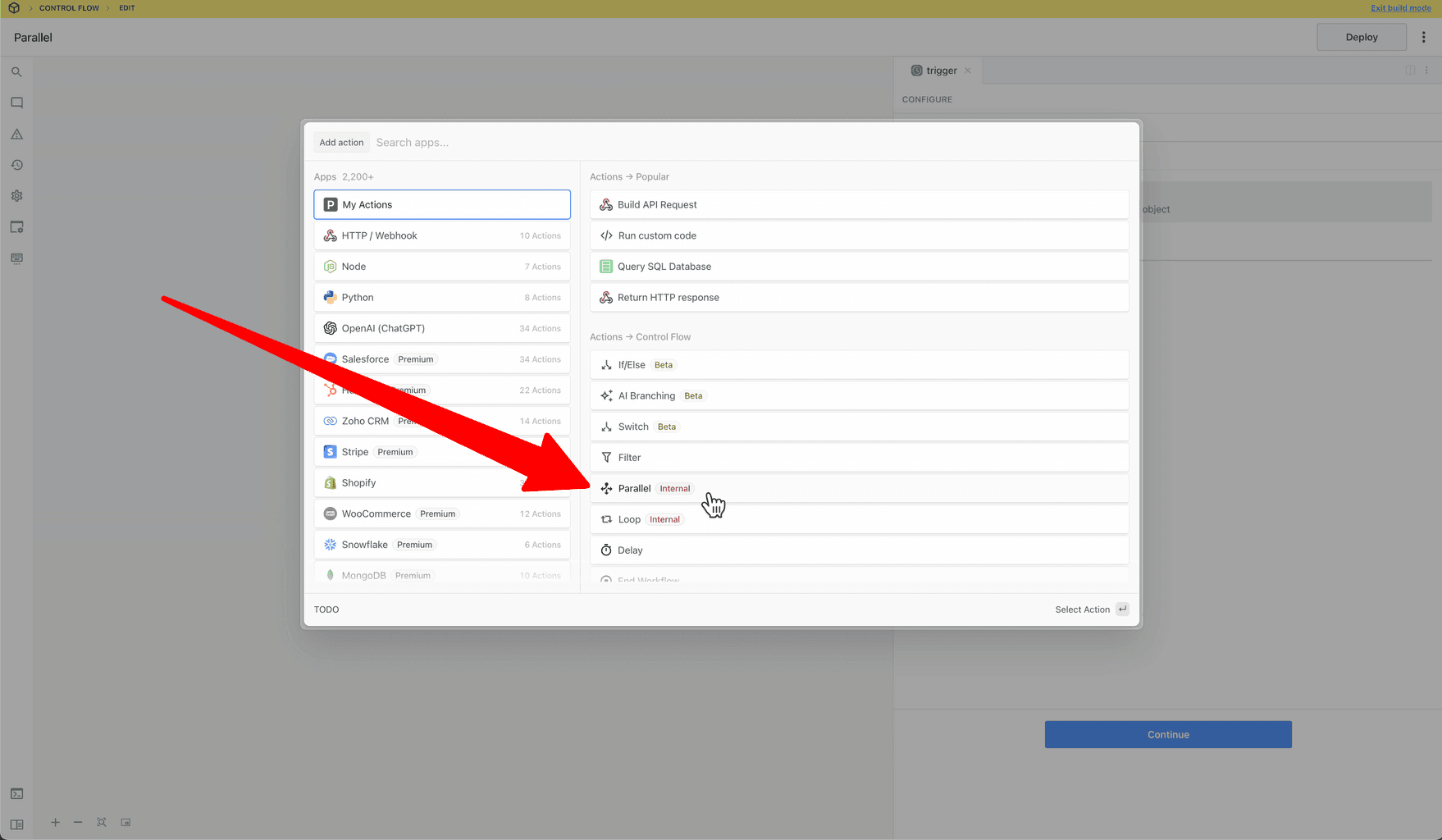
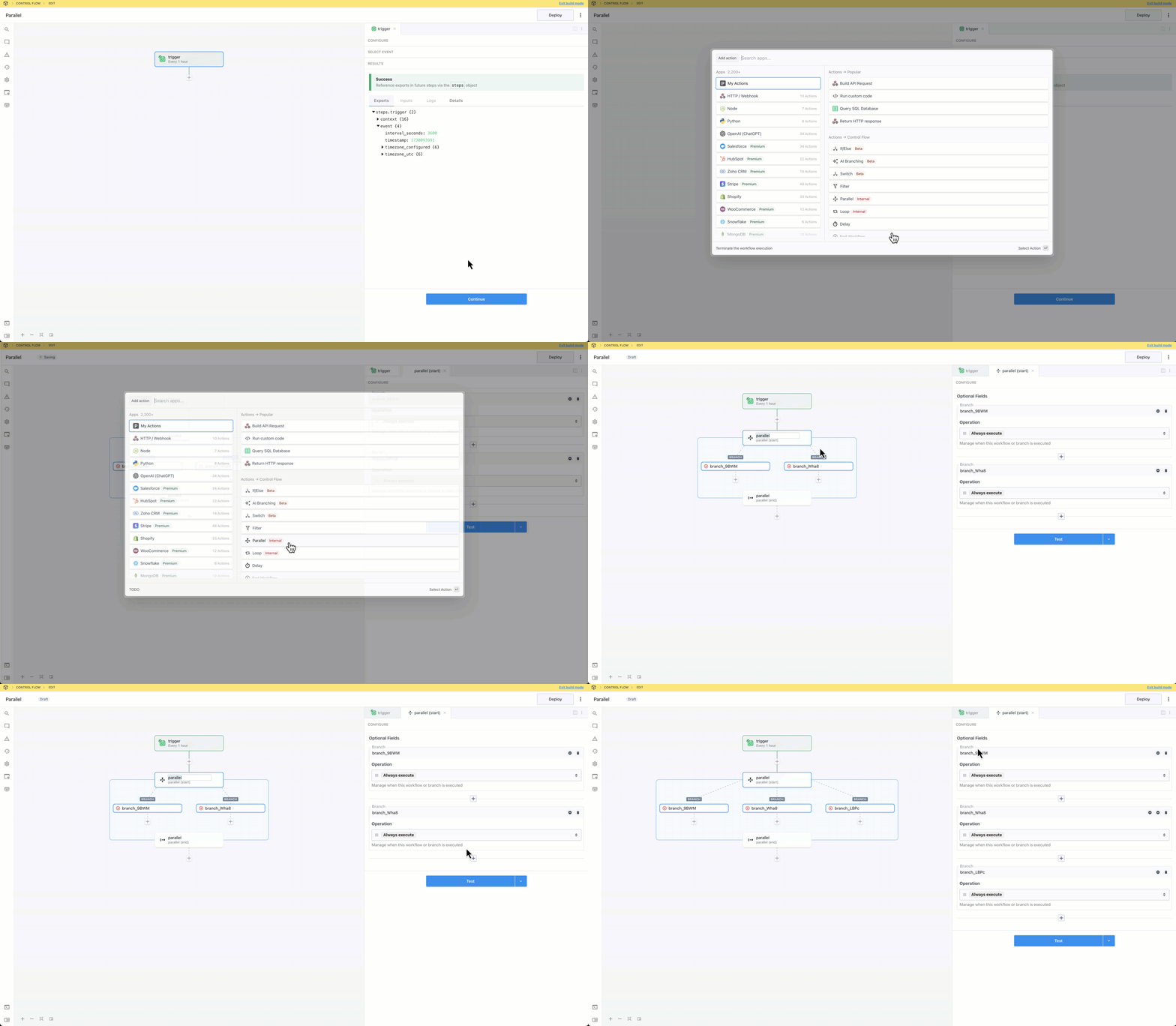
Select **Parallel** from the **Control Flow** section of the step selector:
## Capabilities
* Create non-linear workflows that execute steps in parallel branches
* Define when branches run — always, conditionally or never (to disable a branch)
* Merge and continue execution in the parent flow after the branching operation
The Parallel operator is a control flow **Block** with **start** and **end** phases. [Learn more about Blocks](/workflows/building-workflows/control-flow/#blocks).
### Add Parallel operator to workflow
Select **Parallel** from the **Control Flow** section of the step selector:
 ### Create Branches
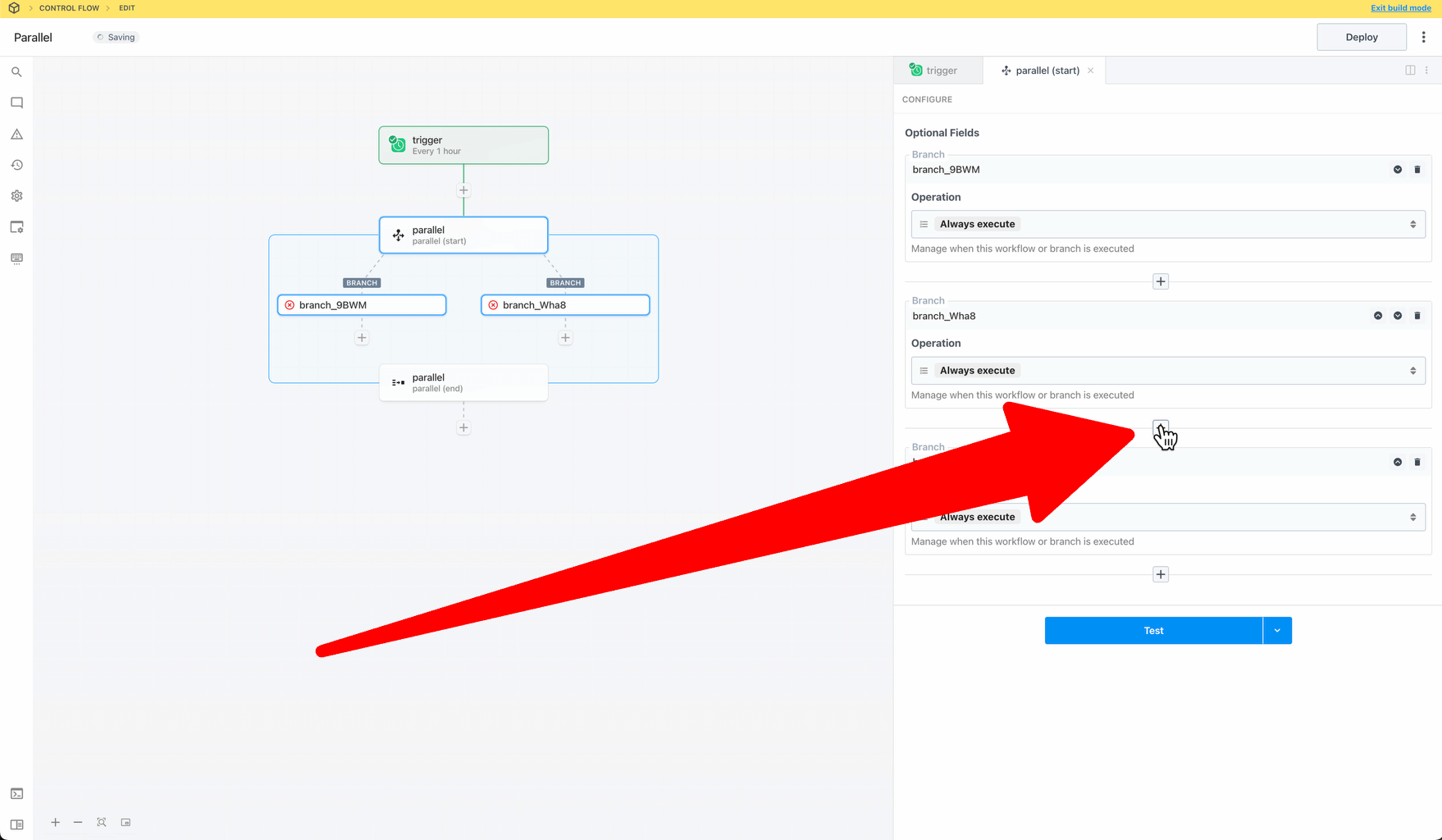
To create new branches, click the `+` button:
### Create Branches
To create new branches, click the `+` button:
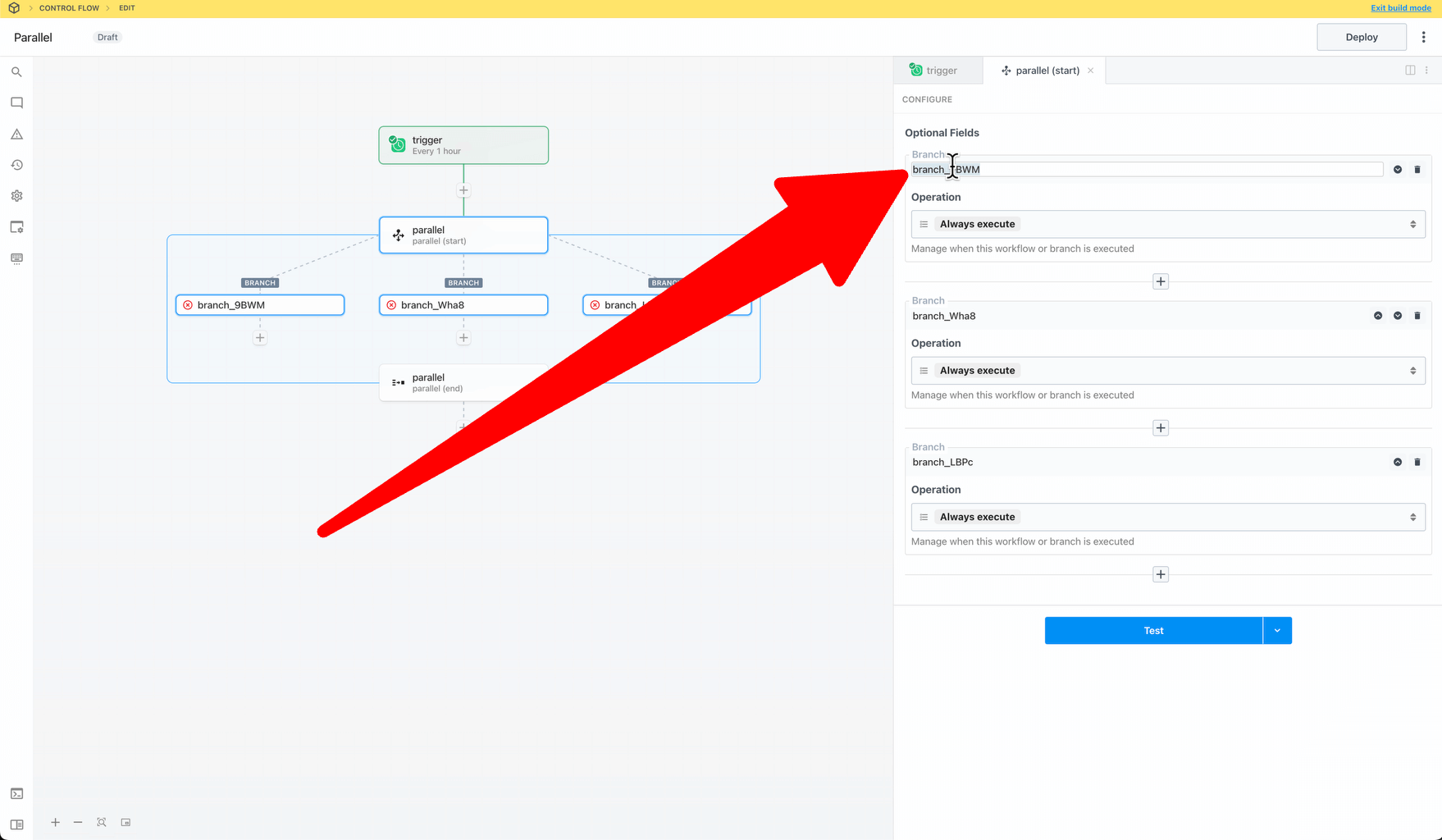
 ### Rename Branches
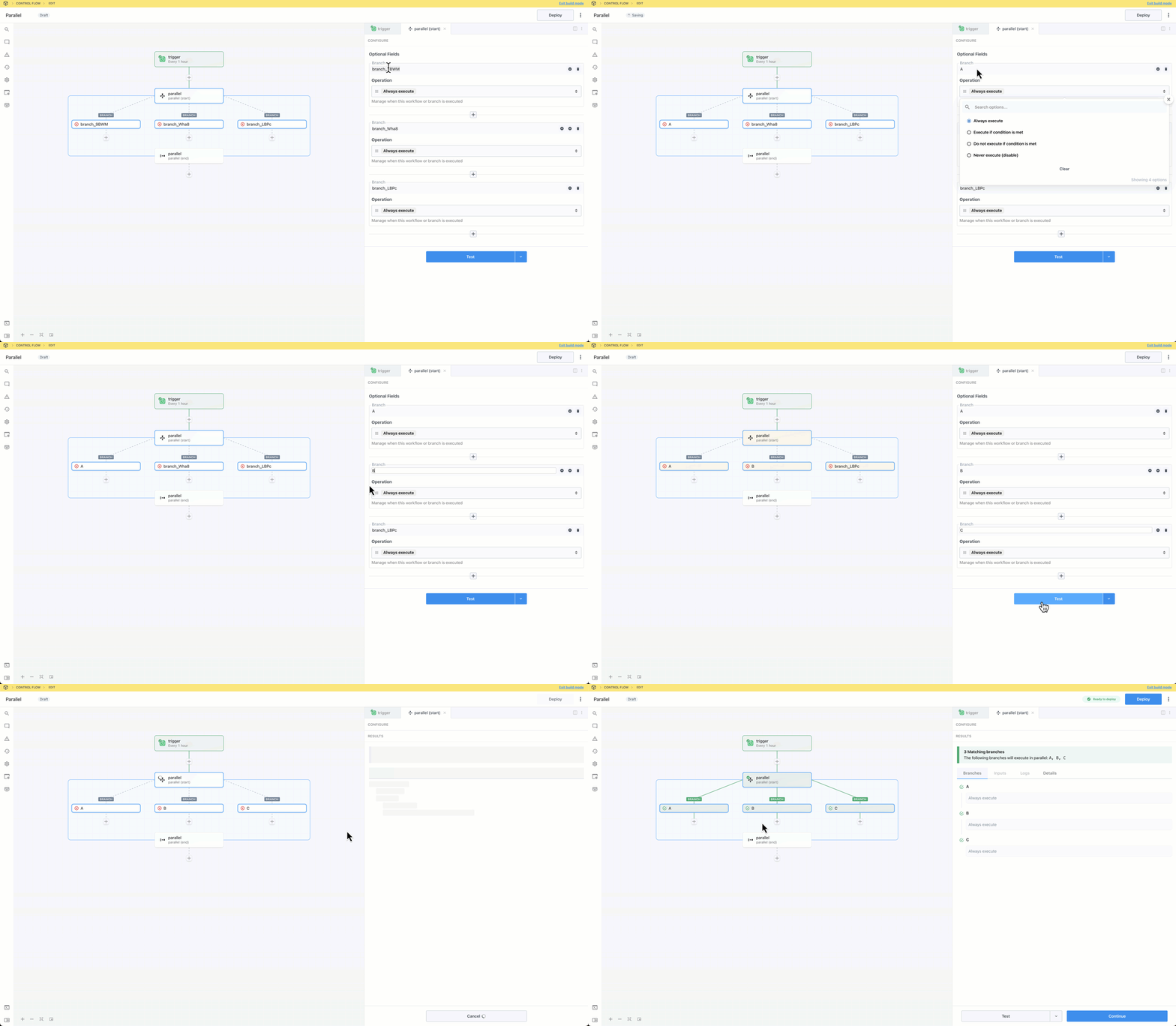
Edit the branch’s nameslug on the canvas or in the right pane after selecting the **Start** phase of the parallel block. The nameslug communicates the branch’s purpose and affects workflow execution—the end phase exports an object, with each key corresponding to a branch name.
### Rename Branches
Edit the branch’s nameslug on the canvas or in the right pane after selecting the **Start** phase of the parallel block. The nameslug communicates the branch’s purpose and affects workflow execution—the end phase exports an object, with each key corresponding to a branch name.
 ### Export Data to the Parent Flow
You can export data from a parallel operation and continue execution in the parent flow.
* The parallel block exports data as a JSON object
* Branch exports are assigned to a key corresponding to the branch name slug (in the object exported from the block)
* Only the exports from the last step of each executed branch are included in the parallel block’s return value
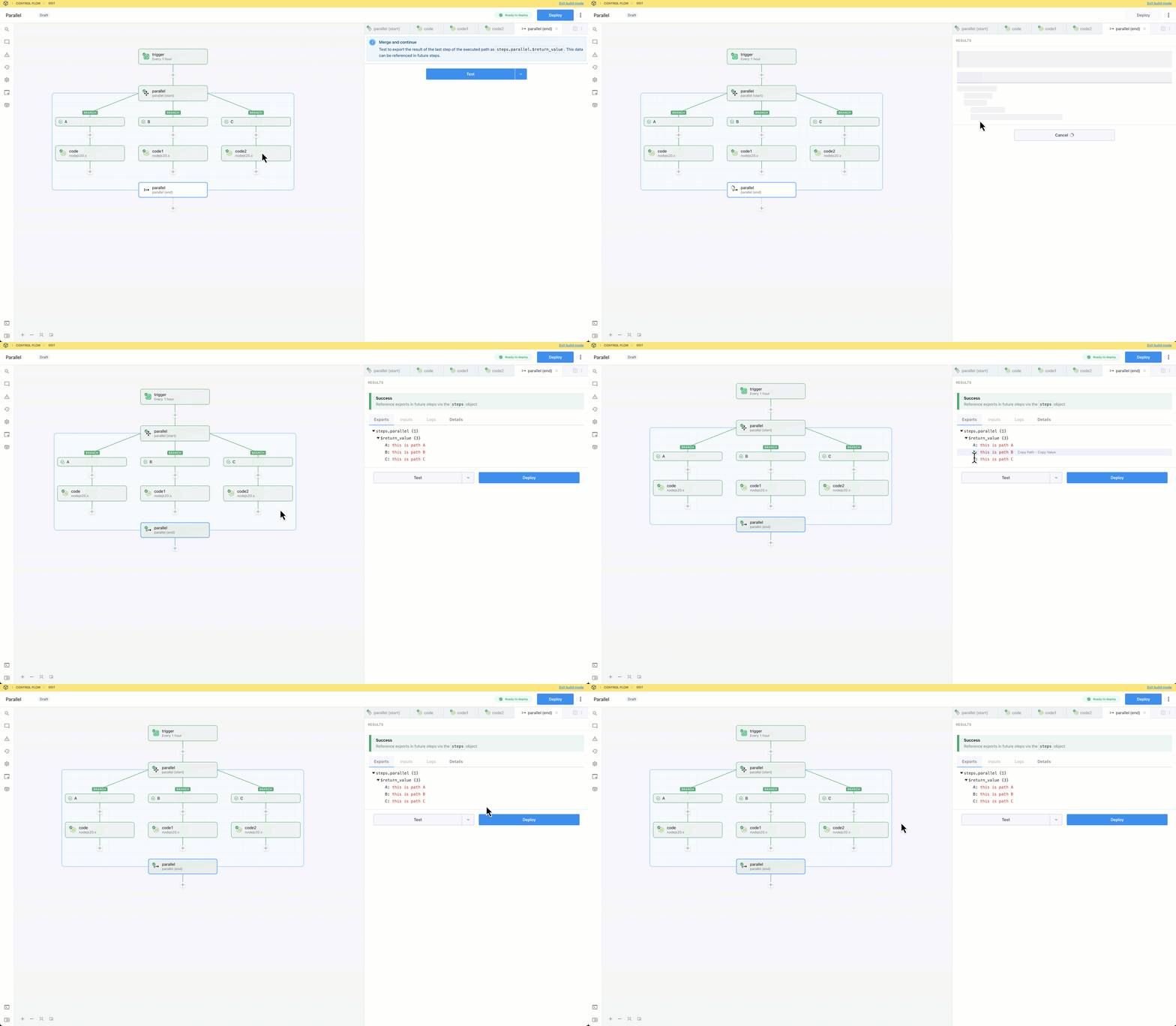
* To preview the exported data, test the **End** phase of the parallel block
### Beta Limitations
Workflow queue settings (concurrency, execution rate) may not work as expected with workflows using the parallel operator.
## Getting Started
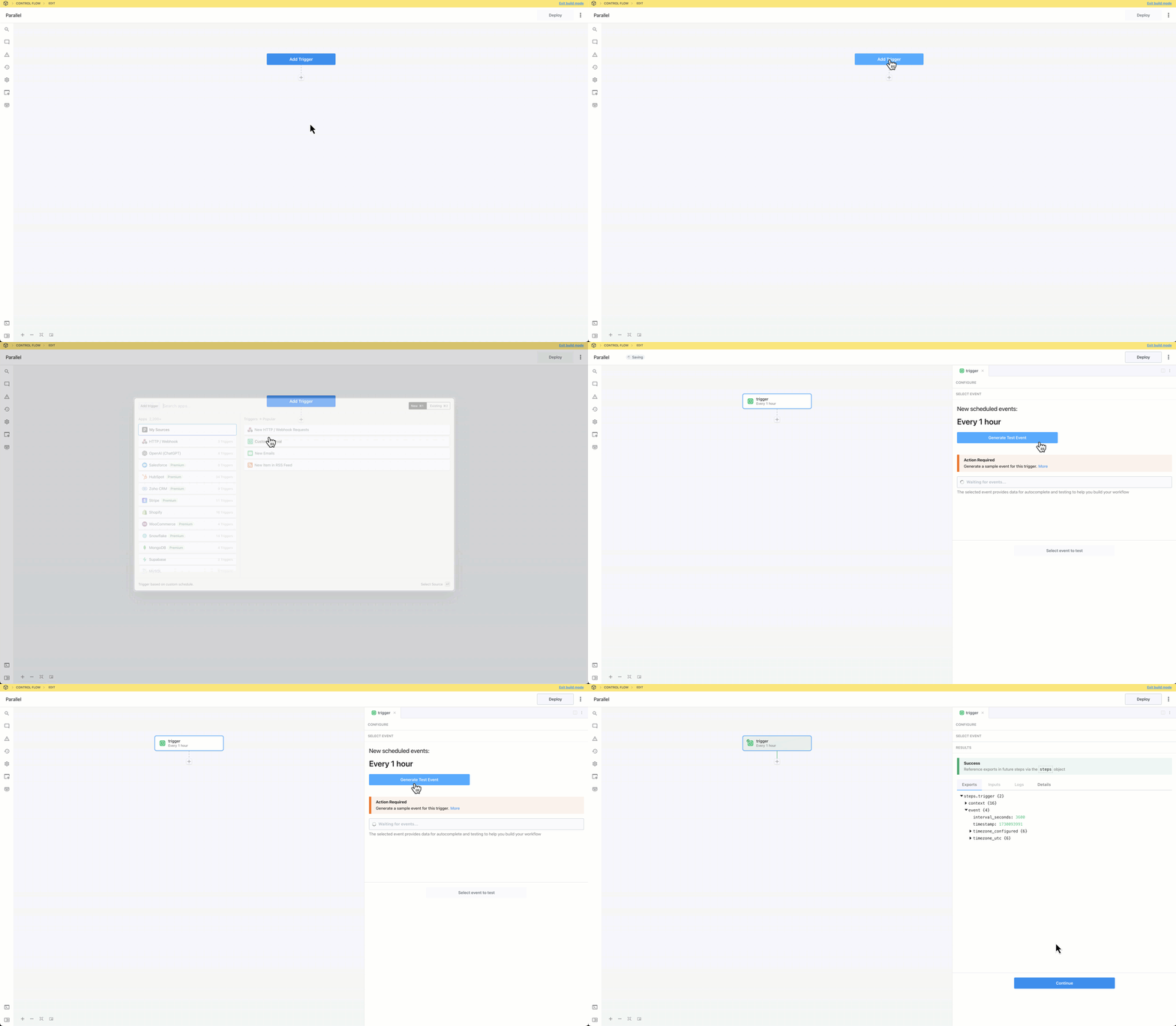
Add a trigger and generate an event to help you build and test your workflow:
### Export Data to the Parent Flow
You can export data from a parallel operation and continue execution in the parent flow.
* The parallel block exports data as a JSON object
* Branch exports are assigned to a key corresponding to the branch name slug (in the object exported from the block)
* Only the exports from the last step of each executed branch are included in the parallel block’s return value
* To preview the exported data, test the **End** phase of the parallel block
### Beta Limitations
Workflow queue settings (concurrency, execution rate) may not work as expected with workflows using the parallel operator.
## Getting Started
Add a trigger and generate an event to help you build and test your workflow:
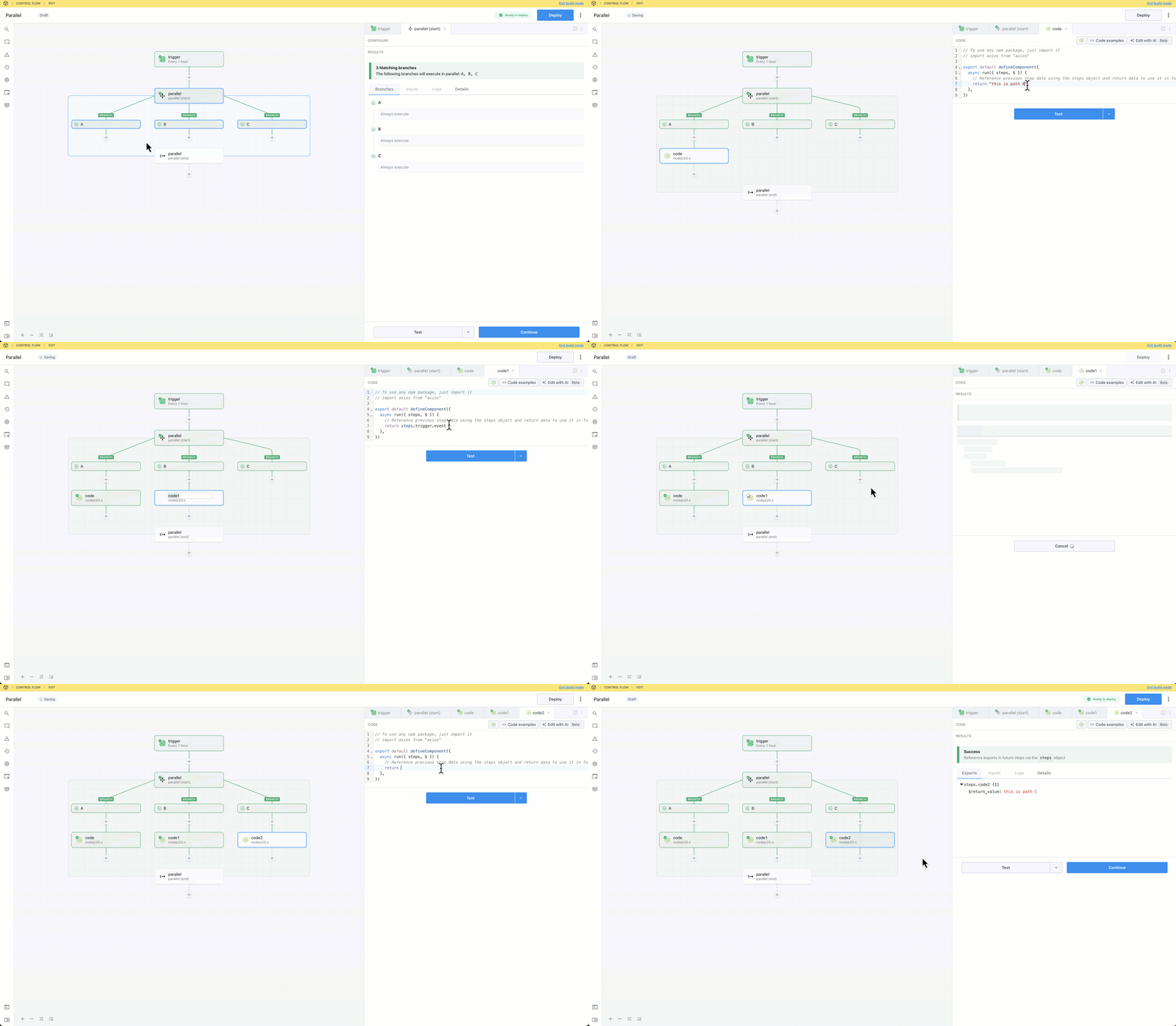
 Click the + button to add a step to the canvas and select Parallel from the Control Flow section on the right. You can optionally add or remove branches and configure conditions defining when each branch should run.
 Test the **Start** phase to identify which branches will execute for the current event.
 Add steps to the branches. These steps will be executed in parallel when the workflow runs.
 Test the **End** phase to export the results of the last step of each branch that was executed. This makes data from the branches available to reference in the parent flow.
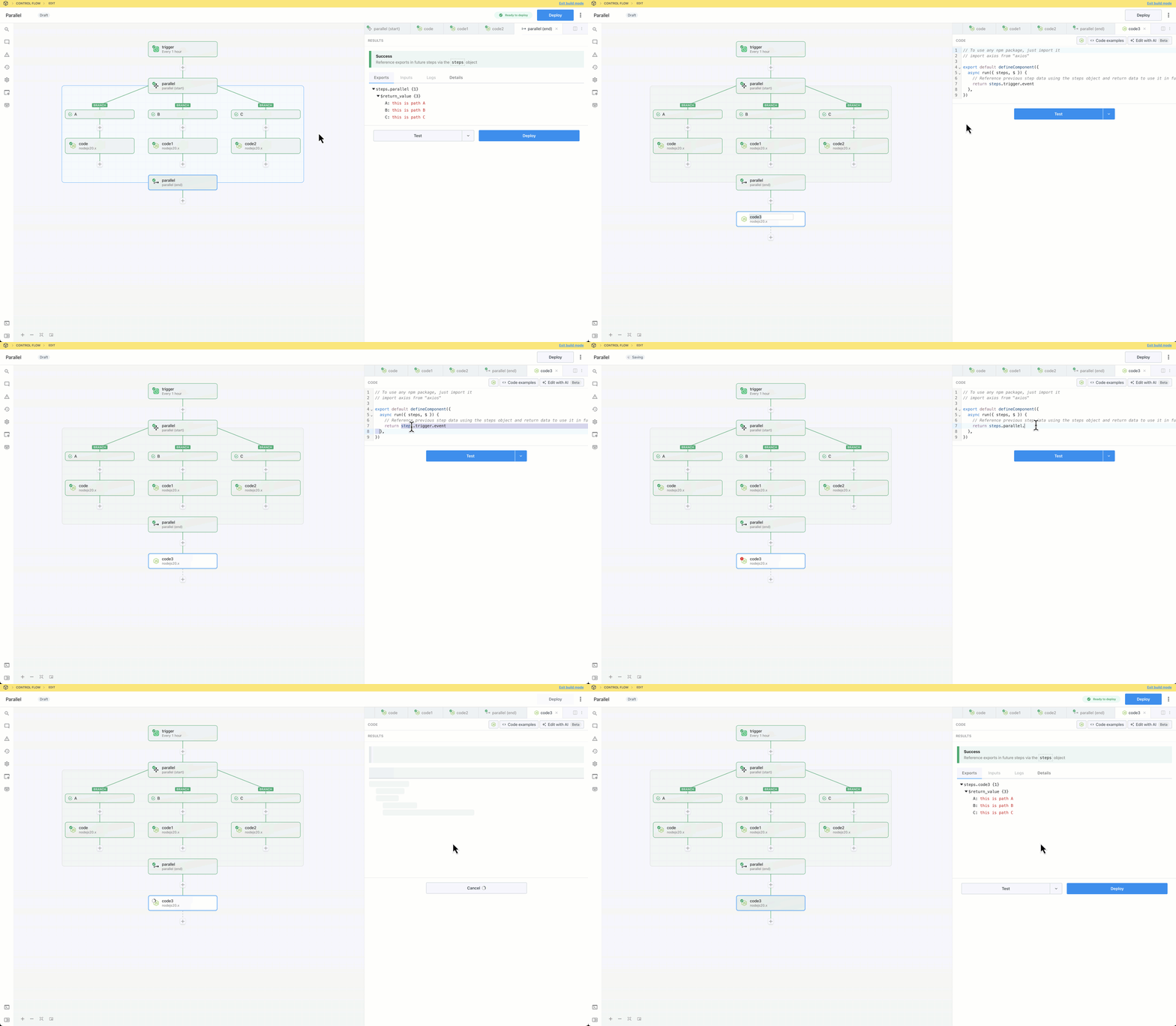
 Optionally add steps after the parallel block and use data from individual branches by referencing the return value of the **End** phase.
 Deploy the workflow and trigger it to inspect the executions.