> ## Documentation Index
> Fetch the complete documentation index at: https://pipedream.com/docs/llms.txt
> Use this file to discover all available pages before exploring further.
# Billing Settings
You’ll find information on your usage data (for specific [Pipedream limits](/workflows/limits/)) in your [Billing Settings](https://pipedream.com/settings/billing). You can also upgrade to [paid plans](https://pipedream.com/pricing) from this page.
## Subscription
If you’ve already upgraded, you’ll see an option to **Manage Subscription** here, which directs you to your personal Stripe portal. Here, you can change your payment method, review the details of previous invoices, and more.
## Usage
[Credits](/pricing/#credits-and-billing) are Pipedream’s billable unit, and users on the [free plan](/pricing/#free-plan) are limited on the number of daily free credits allocated. The **Usage** section displays a chart of the daily credits across a historical range of time to provide insight into your usage patterns.
Credit usage from [Connect](/connect/) is not yet reflected in this section.
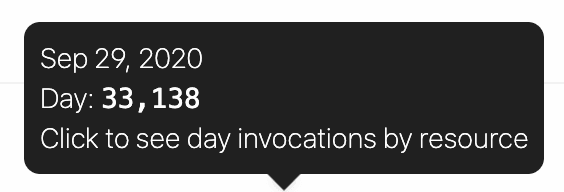
Hover over a specific column in the chart to see the number of credits run for that specific day:
 Click on a specific column to see credits for that day, broken out by workflow / source:
 Users on the free tier will see the last 30 days of usage in this chart. Users on [paid plans](https://pipedream.com/pricing) will see the cumulative usage tied to their current billing period.
## Compute Budget
Control the maximum number of credits permitted on your account with a **Credit Budget**.
This will restrict your workspace-wide usage to the specified number of [credits](/pricing/#credits-and-billing) on a monthly or daily basis. The compute budget does not apply to credits incurred by [dedicated workers](/workflows/building-workflows/settings/#eliminate-cold-starts) or Pipedream Connect.
To enable this feature, click on the toggle and define your maximum number of credits in the period.
Due to how credits are accrued, there may be cases where your credit usage may go slightly over the cap.
In an example scenario, with a cap set at 20 credits and a long-running workflow that uses 10 credits per run, it’s possible that two concurrent events trigger the workflow, and the cap won’t apply until after the concurrent events are processed.
## Limits
For users on the [Free tier](/pricing/#free-plan), this section displays your usage towards your [credits quota](/workflows/limits/#daily-credits-limit) for the current UTC day.
Users on the free tier will see the last 30 days of usage in this chart. Users on [paid plans](https://pipedream.com/pricing) will see the cumulative usage tied to their current billing period.
## Compute Budget
Control the maximum number of credits permitted on your account with a **Credit Budget**.
This will restrict your workspace-wide usage to the specified number of [credits](/pricing/#credits-and-billing) on a monthly or daily basis. The compute budget does not apply to credits incurred by [dedicated workers](/workflows/building-workflows/settings/#eliminate-cold-starts) or Pipedream Connect.
To enable this feature, click on the toggle and define your maximum number of credits in the period.
Due to how credits are accrued, there may be cases where your credit usage may go slightly over the cap.
In an example scenario, with a cap set at 20 credits and a long-running workflow that uses 10 credits per run, it’s possible that two concurrent events trigger the workflow, and the cap won’t apply until after the concurrent events are processed.
## Limits
For users on the [Free tier](/pricing/#free-plan), this section displays your usage towards your [credits quota](/workflows/limits/#daily-credits-limit) for the current UTC day.